Edit more than the wording.
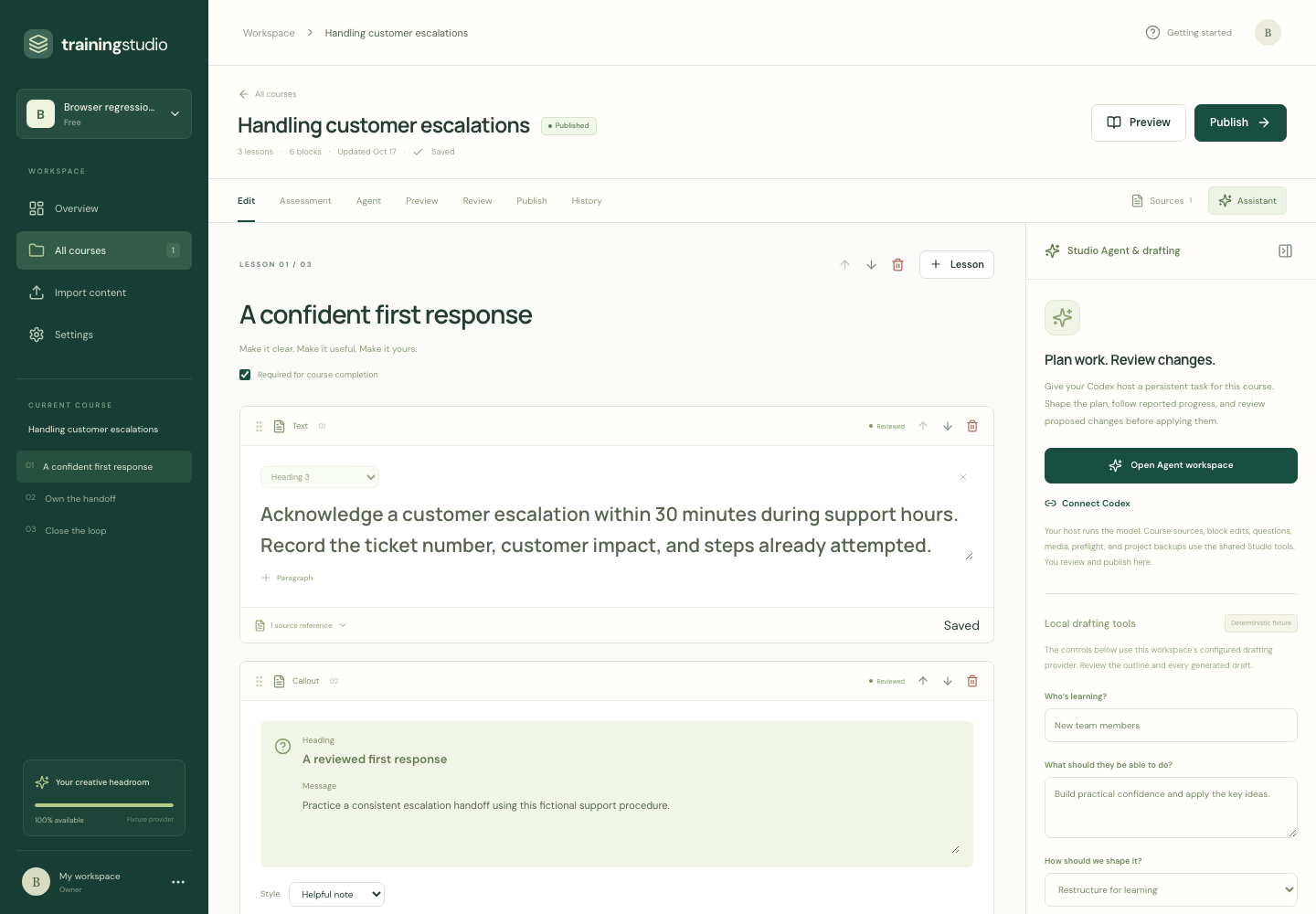
Move and configure lesson blocks. Add images, audio, video and knowledge checks. Preview the experience your learners will use.
AI drafts editable lessons and knowledge checks from your PDFs, Word documents and PowerPoint decks. Make them your own, review with your team, then export to your existing LMS.
No account needed for the sample. Edits stay in this tab.
The full studio is in private testing. Public signup is not available.

Try this fictional course, inspect its source and preview your changes. This sample stays in your browser; full document imports and AI drafting are in the private studio.
Try a small editable course with exact source evidence and a learner preview. You can also preview the first two paragraphs of a small TXT or Markdown file without uploading it.
Explore the original examples →Import your handbook, procedure or deck. Check the extracted material and approve an outline before drafting.
Apply company guidance, edit the lessons and media, and add questions that help people practise.
Collect feedback and approve the course. Export SCORM for your LMS, plus an editable project you can keep.
For HR teams, training providers and the people turning company knowledge into onboarding, procedures and product training.
Three practical ways to turn existing business content into an editable learning experience.
Turn a text-based manual into focused lessons. Inspect source passages and extraction warnings before publication.
Explore PDF to SCORMRebuild deck content as responsive lessons. Give learners the context a presenter would usually provide.
Explore PowerPoint to SCORMExplain the procedure, check the decisions and review what needs to change when the source does.
Explore SOP to trainingSee the source passage behind a lesson or question. When a procedure changes, review suggested updates against the course you have already edited. Choose what to accept and keep the wording you worked on.
Try the source-change example ↑“Acknowledge a customer escalation within 30 minutes during support hours.”
The procedure now says 15 minutes. The lesson has a deliberate author rewrite.
Review the conflict. Choose the change.
Source references show where content came from. An author still checks its accuracy.
Download a self-contained learner package and retain an editable project archive. Supported exports include their runtime and media; learners do not need a Docs to Training subscription.
Download an original sampleYou can preview the first two paragraphs of a UTF-8 TXT or Markdown file up to 64 KiB, right here. The file stays in your browser. PDF, Word and PowerPoint imports belong to the full authoring workspace, which is not hosted on this preview site.
This interactive sample uses a fictional course and a prepared source-change example. It calls no model and uploads no document. The separate private studio has active AI outline and lesson drafting. There, you review the plan, edit the result and approve the course before publication.
The studio supports text, callouts, lists, images, tables, processes, accordions, tabs and audio/video. Add single-answer, multiple-answer, matching or sequencing checks with answer feedback. Edit imported images, captions and alternative text. Image generation is not enabled in this private preview.
Use Examples for real SCORM 1.2, SCORM 2004 4th Edition, standalone web and editable project ZIPs of the original samples. The homepage demo downloads a narrower JSON draft. It does not create a SCORM package or automatically transfer into a workspace.
Choose the version your LMS supports, then test completion, scoring and resume in that LMS. Specific packages have passed SCORM 1.2 testing in Moodle 5.0.9 and SCORM 2004 4th Edition testing in SCORM Cloud. The downloadable examples are a different version with local checks; their exact test scope is shown on Examples. Broader compatibility is still being tested.